Front of house · iPhone & iPad
AVA Pro
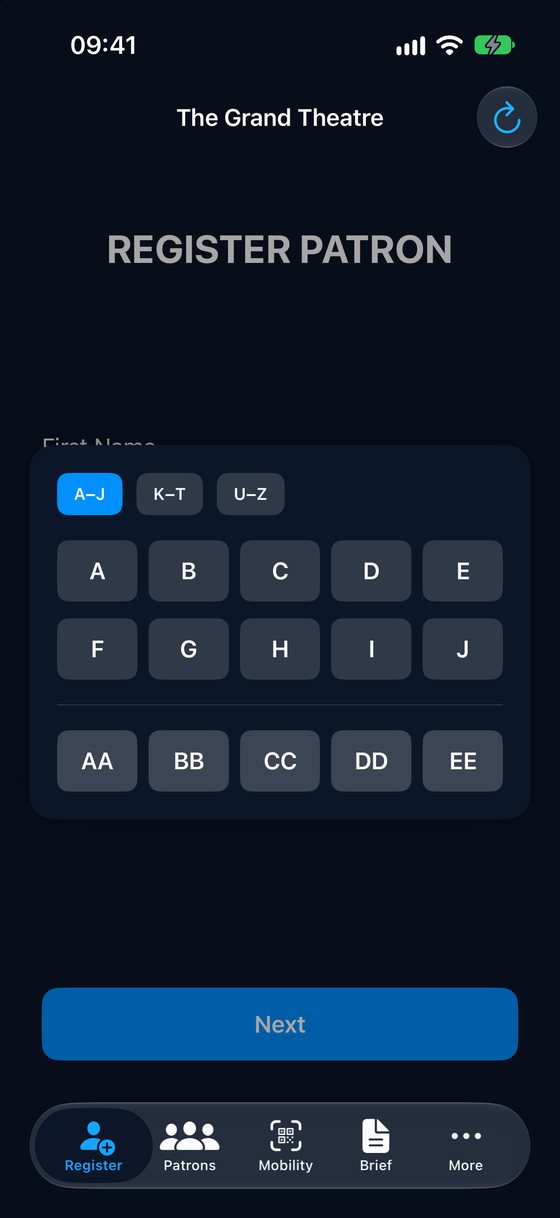
Register patrons at the door, read the briefing, lend equipment and keep up with team messages.
AVA gives your access team and managers one shared picture of every patron, every performance and every item of merchandise. On iPhone, iPad and Mac.


Version 3.0 · No accounts. No servers. Your data stays in your own iCloud.
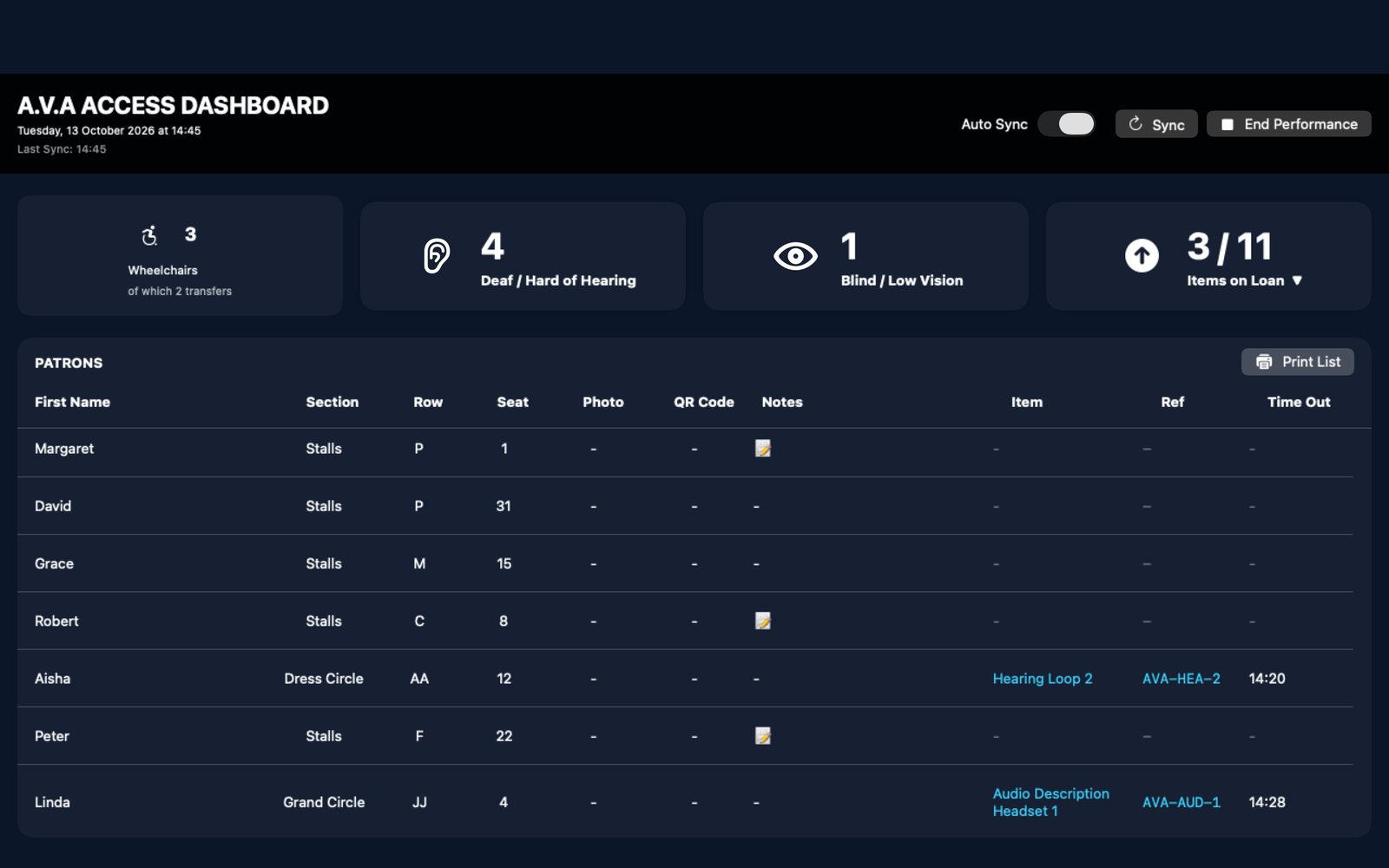
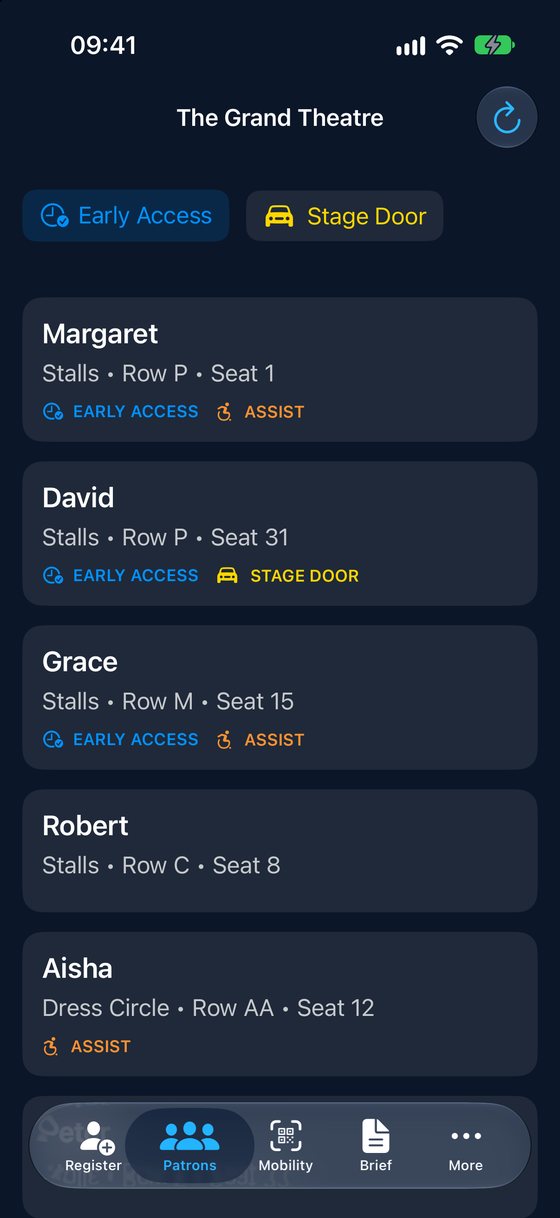
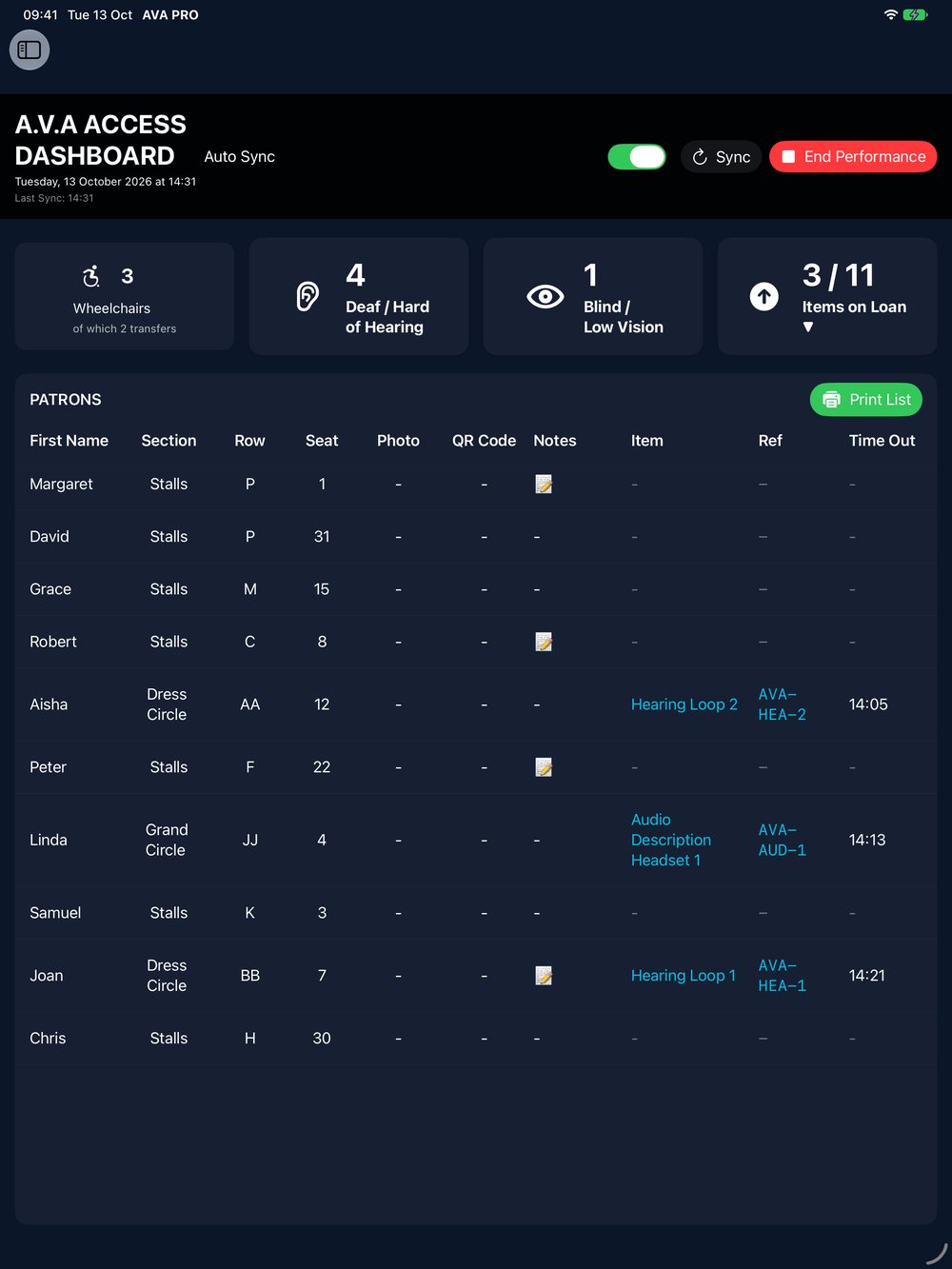
Staff on the door, managers in the office and the team on the merch stands all work from the same live information.
Register patrons at the door, read the briefing, lend equipment and keep up with team messages.
Set up the venue and each performance, and see every access patron on the Access Dashboard.
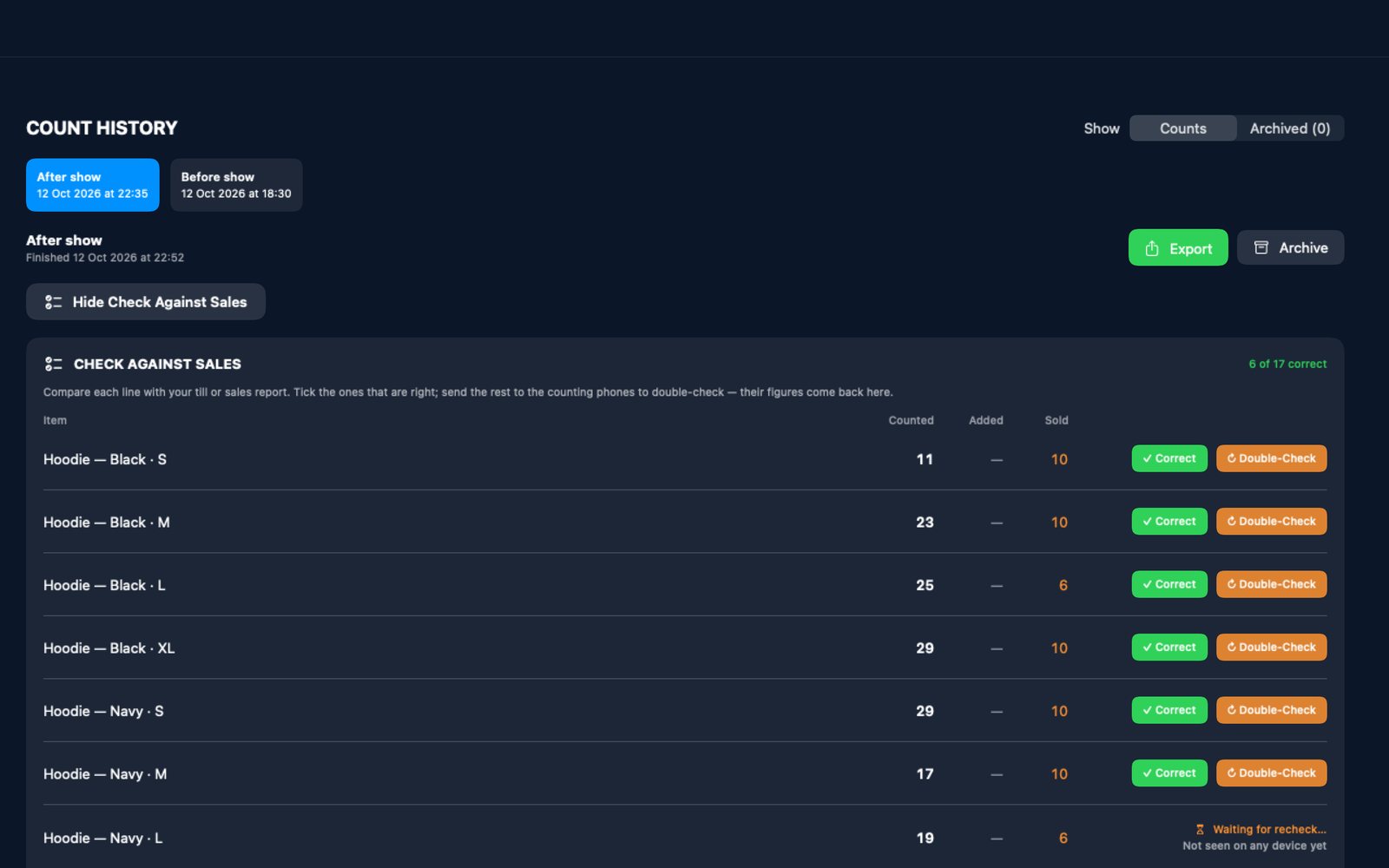
Count stock by location, watch the totals build up live, and check what's sold against your till.
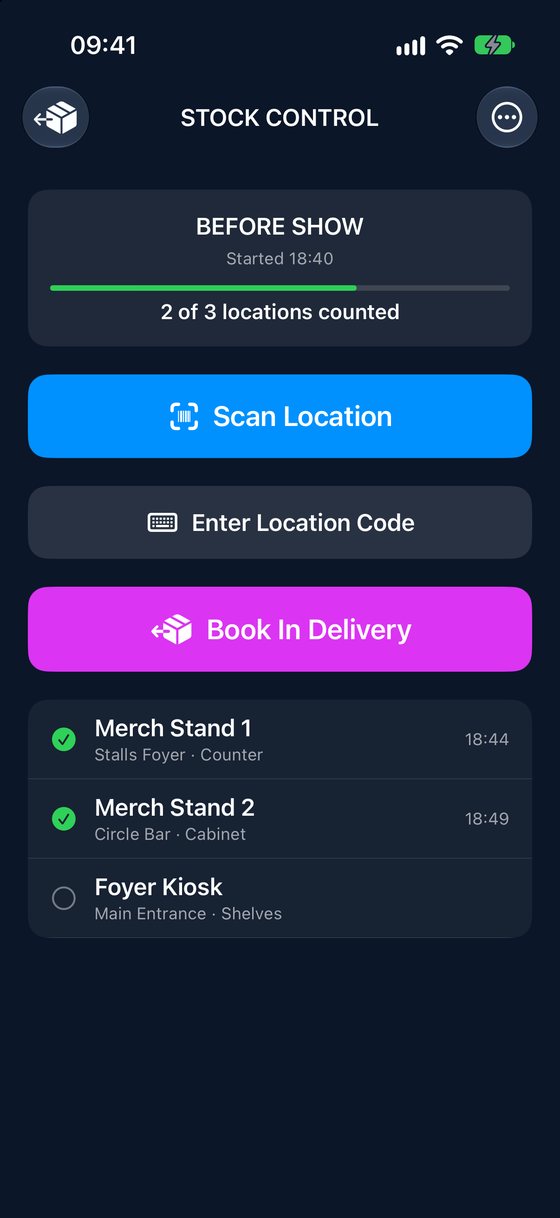
Register patrons at the door, brief the team before the house opens, and keep everyone up to date as the show runs.
Register access patrons in seconds: seat, mobility aid, assistance, early access and stage door parking. Briefings and patron lists are ready for every member of staff.
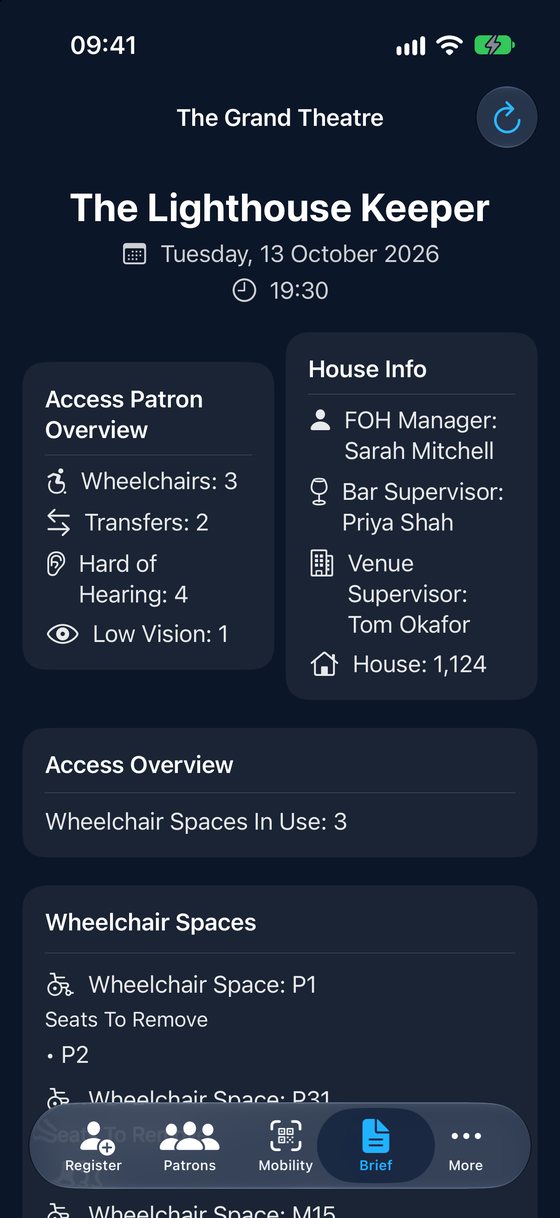
Patrons, messages and changes appear on every iPhone, iPad and Mac through Apple's iCloud.
Print QR tags for wheelchairs and walkers. Scan one to bring up its owner and seat straight away.
Wheelchair users, transfers, hearing and vision needs, house numbers and who's on duty, all on one screen.
Set up each space and the seats it replaces, then see which are in use at every performance.
Lend hearing loops and audio description headsets, and always know who has each one.
Upload a seat map for each show in Mission Control and it appears on every staff device.
Send a message to the whole front of house team at once, with a banner so nothing is missed mid-show.
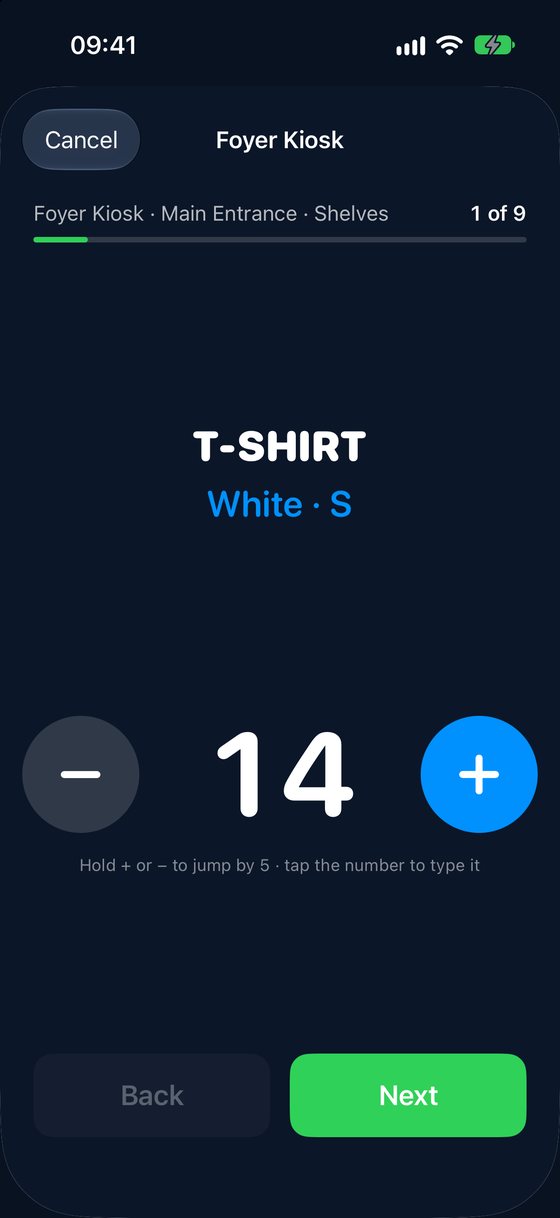
Stick a barcode label on each shelf or cupboard. Staff scan it, count what's there, and the totals build up live in Mission Control.
Each shelf or cupboard has its own barcode label. Staff go through the items there one at a time, and several people can count at once.
Every item, size and colour adds up in Mission Control as the count comes in, with each location ticked off when it's done.
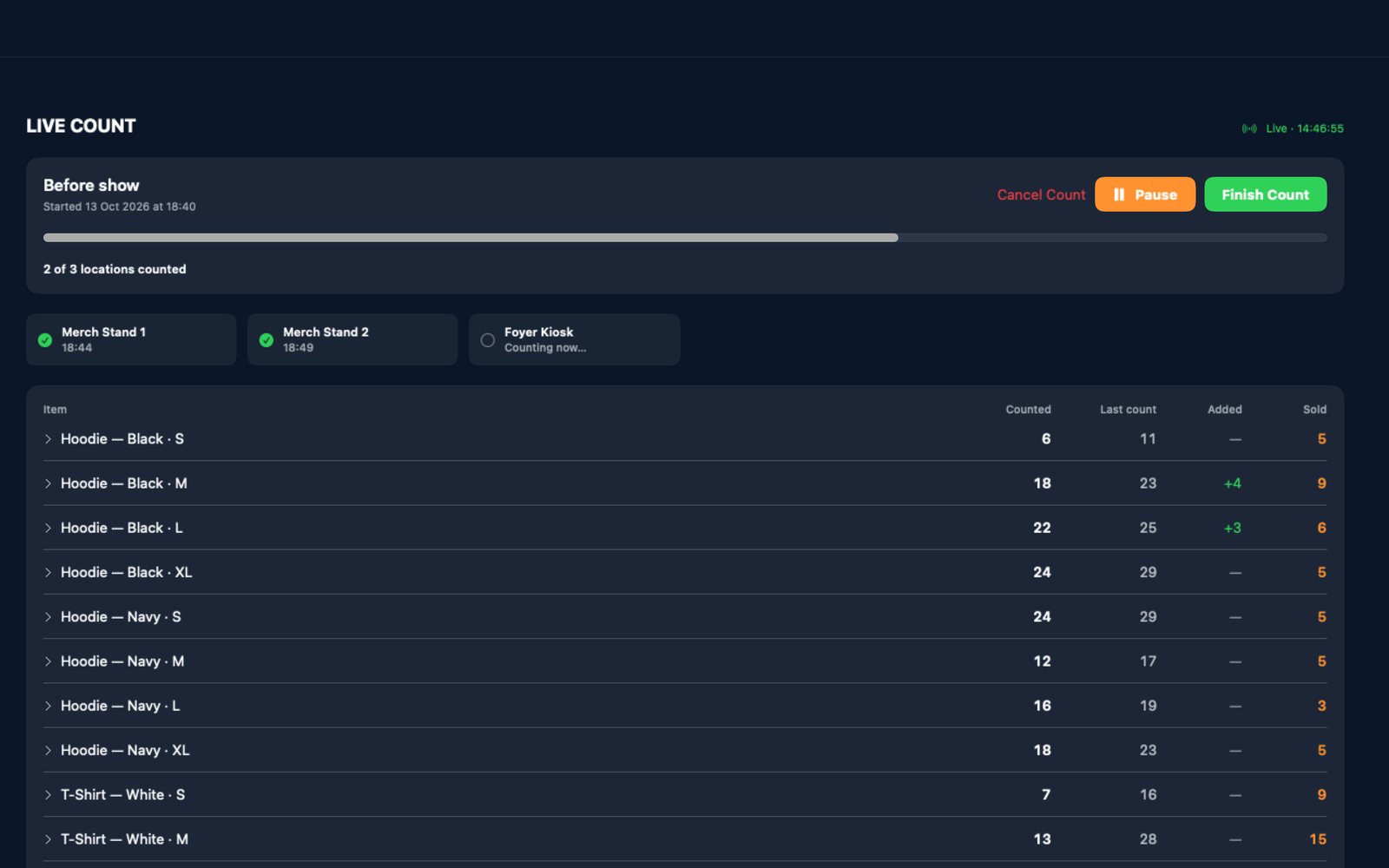
Tick off each line that matches your sales report. Anything that doesn't goes back to a phone for a recount.
Each device opens the part of AVA it's needed for. Choose when AVA opens, and switch at any time.
| Part of AVA | iPhone | iPad | Mac |
|---|---|---|---|
| Access | |||
Mission ControlPatrons, performances, messages and venue setup. On iPad, a venue can run without a Mac. |
— | ✓ | ✓ |
AVA ProRegister patrons, scan tags, read the briefing, lend equipment and get messages. |
✓ | ✓ | — |
| Venue Stock | |||
Stock ManagementLive count, history, deliveries and stock setup. On the Mac it's Venue Stock in Mission Control. |
— | ✓ | ✓ |
Stock ControlScan a location and count it, or book in a delivery. |
✓ | ✓ | — |
AVA Pro for iPhone and iPad is on the App Store. AVA Mission Control for Mac is on the Mac App Store.
AVA stores everything in your organisation's own private iCloud database. We can't see it, and there's no AVA server for it to go to.
Read the privacy policy →One licence covers unlimited staff devices. No per-seat fees, no subscriptions.
One-time purchase · Unlimited devices · Every part of AVA included
Limited-time launch price. The price will increase after the initial release.
No training courses and no onboarding calls.
No. From version 3.0, Mission Control runs on iPad, so a venue can run AVA with iPads and iPhones only. Venues with a Mac can use both.
Every device signs in to the same iCloud account, your venue's. AVA keeps patrons, messages, venue setup and stock in sync through Apple's iCloud. There is no AVA server.
Yes. Each person scans a different location, and the totals build up live in Mission Control.
End Performance clears tonight's patrons, performance details and messages from every device, ready for the next show.
Yes. The AVA User Manual covers every part of AVA, from first setup to Venue Stock.
Download AVA for iPhone and iPad from the App Store, and AVA Mission Control for Mac from the Mac App Store.
Questions? hello@avasystems.co.uk